Modern City Map
- 15-07-2026, 13:53
- 391
Adventure Maps / Creation Maps / Custom Terrain Maps / Survival Maps
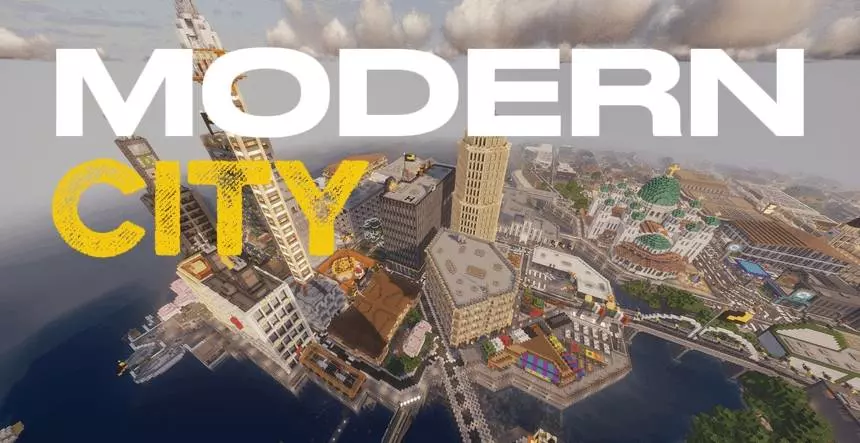
Dropping into a completely empty flat world to start a massive building project can be incredibly overwhelming. The Modern City map completely skips that initial grind by handing you a massive, sprawling urban environment that is already packed with highly detailed architecture. It gives you a huge head start whether you just want a cool place to hang out or a solid foundation to expand upon with your own custom builds.
Urban Exploration and Expansion
The layout of this map is designed to feel like a completely genuine, connected urban sprawl. As you walk through the clean, wide streets and massive intersections, you will pass by towering office buildings, massive apartment complexes, and a ton of different retail shops and modern houses. The creator also smartly left plenty of empty, undeveloped green spaces and vacant lots scattered throughout the districts. This means you do not have to completely destroy existing structures just to find room to drop in your own custom skyscrapers or redstone contraptions.
Roleplay and Multiplayer Potential
Because the map is already so fleshed out, it serves as the absolute perfect backdrop for setting up a massive multiplayer server or a dedicated roleplay realm. You and your friends can immediately claim different apartments or houses as your own personal survival bases without having to worry about gathering thousands of blocks of concrete and glass. It is also an incredibly good environment for just flying around in creative mode to grab some inspiration for your own builds or finding the perfect angle to snap some high-quality screenshots and videos.
How to install?
Android: use ES Explorer to find mcworld in the download folder. Click on a file to import it inside.
Versions of Windows 10: Go to your downloads folder and find mcworld. Click on the document to add it to the client.
IOS: as soon as they clicked on the Download button below, the device will offer to open it.
Comments (0)