Real Car 2 Addon
- 19-12-2025, 18:30
- 604
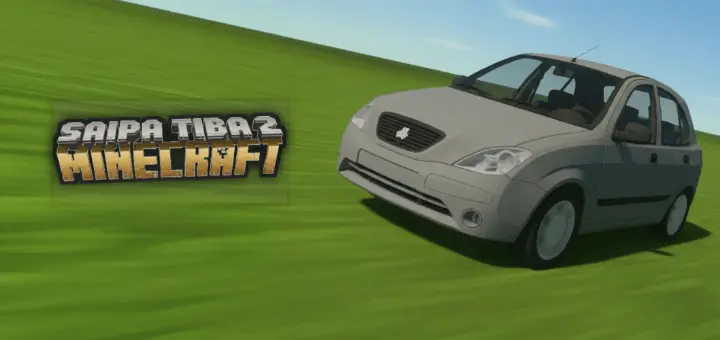
Real Car 2 Addon — an HQ, highly detailed 3D car with proper seating, spinning wheel animation, and a steering wheel that follows your head rotation.
Real Car 2 Addon is for players who want vehicles in Minecraft Bedrock / MCPE that actually look and feel “real” instead of being a blocky joke you ride once and forget. The big flex here is the model quality: it’s a highly detailed 3D build with both exterior and interior detail, so it doesn’t just look good driving past your base—it also looks legit when you’re up close or sitting inside it. That interior detail matters way more than people think, especially if you’re building a city, a dealership, a garage, or even just a driveway outside a modern house where the car is part of the scene.
The animation work is what sells it as “HQ.” When you drive, the wheels actually spin, which instantly makes motion feel less stiff. The driver also sits in the correct position, so you don’t get that goofy “floating player” look that kills immersion the second you hop in. And the steering wheel animation being synced with the player’s head rotation is a sick touch, because it makes driving feel responsive—like your movement is connected to what the car is doing, not just you riding a static model. Even if you’re just cruising around your world for fun, those little details are what turn it from “a modded object” into something that feels like a real part of your gameplay.


In survival-style worlds, Real Car 2 Addon is best used as a travel and vibe upgrade. Instead of always running or boating everywhere, you can roleplay your routes a bit—drive from your base to your farm, roll into a village build, or take long roads you’ve actually built because now there’s a reason to. In creative builds, it’s even more useful: parking lots, city streets, gas stations, and garages instantly look more believable when you can drop in a high-detail vehicle that doesn’t feel out of place. Real Car 2 Addon is basically the “make my world feel modern and lived-in” car pack, powered by clean animations and a model that actually respects detail.
Installation:
— Download McPack
— Install McAddon or McPack files, just open it for this;
— Select new textures in the settings;
— Done.
Comments (0)