EF Wither Storm Pet Addon
- 20-07-2026, 14:16
- 341

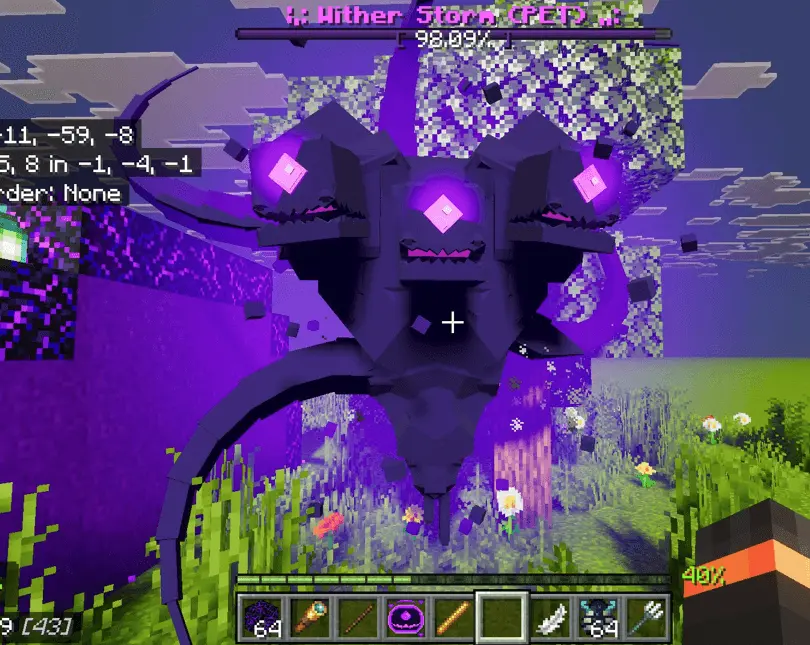
Most mods that add the Wither Storm turn your world into an absolute nightmare, forcing you to run for your life while it destroys everything you’ve built. The EF Wither Storm Pet add-on completely flips that concept on its head. Instead of an unstoppable, world-ending boss, you get a highly loyal, scaled-down version of the Wither Storm that actually fights on your side.
From Boss to Bodyguard
You don't have to wait for a crazy world event to find one; you can directly craft its spawn egg to start the encounter. You need to be ready when you place it down, though. Untamed, it is still extremely dangerous—packing 10,000 health, explosive projectiles, and heavy tentacle attacks that will easily wipe you out. To get it on your side, you have to survive long enough to tame it using Crying Obsidian. Once tamed, it instantly shifts from a massive threat to the ultimate survival companion, automatically hunting down hostile monsters and protecting you while you explore.
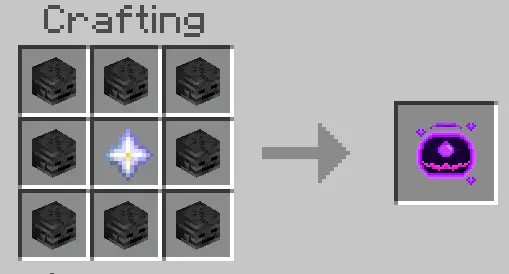


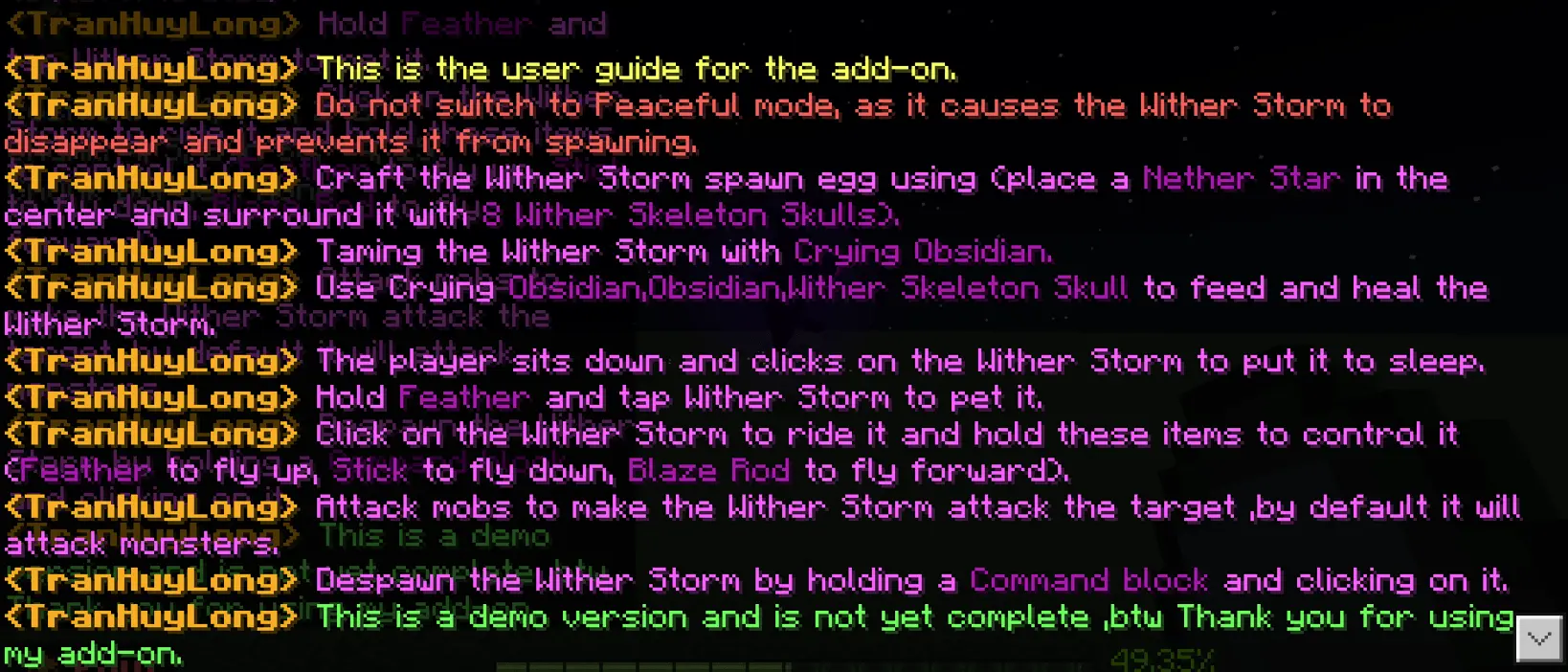
To keep your massive new bodyguard in the fight, you can actively heal it by feeding it more Crying Obsidian, standard Obsidian, or Wither Skeleton Skulls.
A Heavy Combat Mount
The absolute best feature is that your new pet also doubles as a flying combat mount. Once tamed, you can interact with it to climb aboard and manually pilot it around your world. The flight controls are entirely item-based, which feels really unique: holding a Feather makes you ascend, a Stick brings you down, and a Blaze Rod drives you forward. It totally changes how you travel across the map.
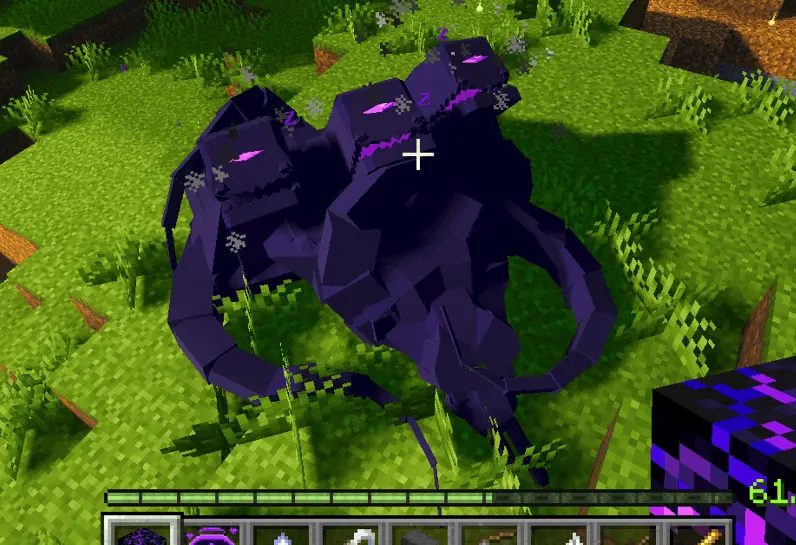
The developer also added some great interactive details. You can actually pet your Wither Storm by tapping it with a Feather, or manually command it to sit down and sleep when you are hanging around your base. Just keep one massive warning in mind: never switch your game to Peaceful mode. Doing so will instantly force the game to despawn the entity, and you will permanently lose your pet.
Installation:
— Download McPack
— Install McAddon or McPack files, just open it for this;
— Select new textures in the settings;
— Done.
Comments (0)