Powerful Apples Addon
- 29-07-2026, 20:20
- 269

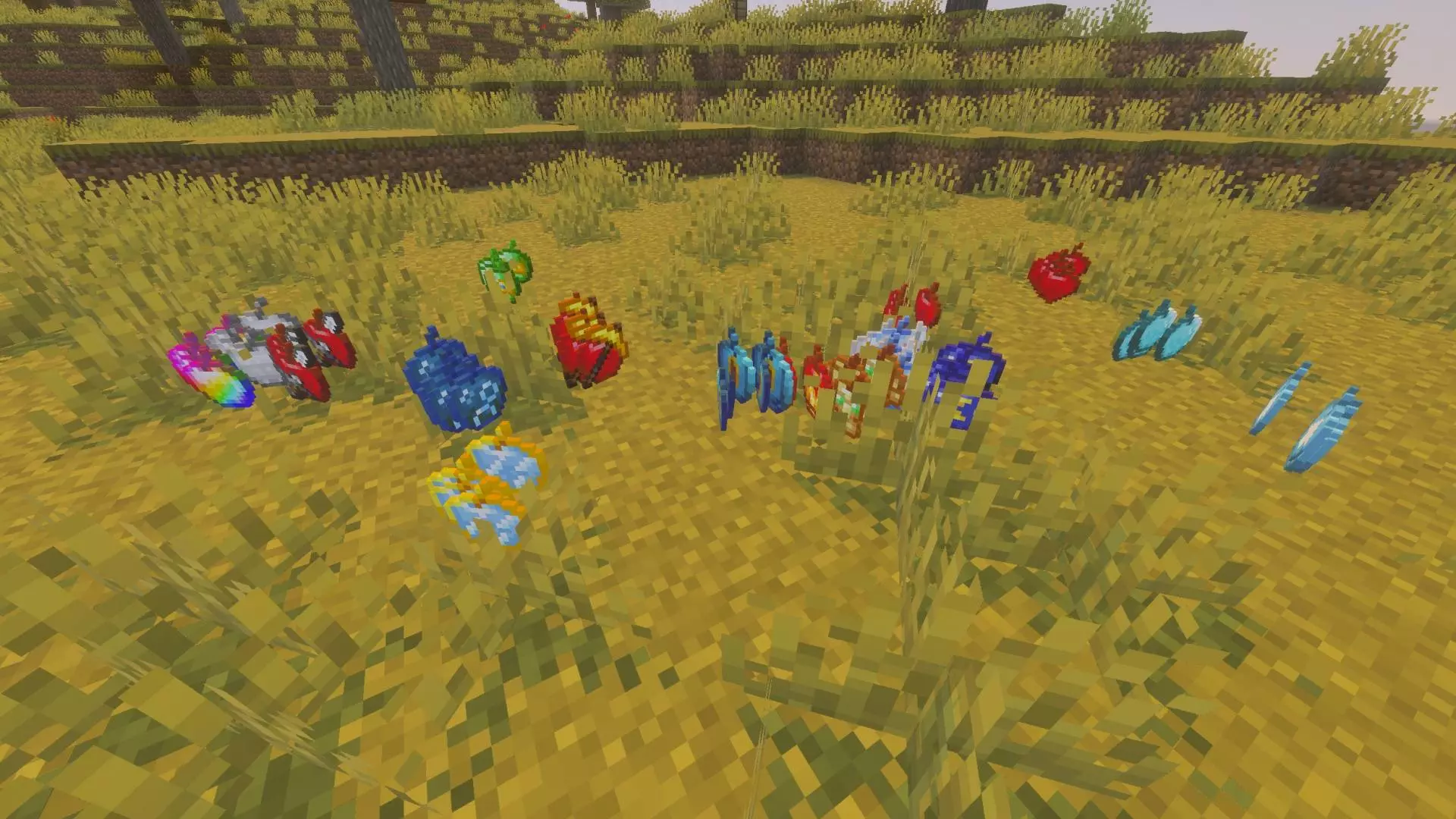
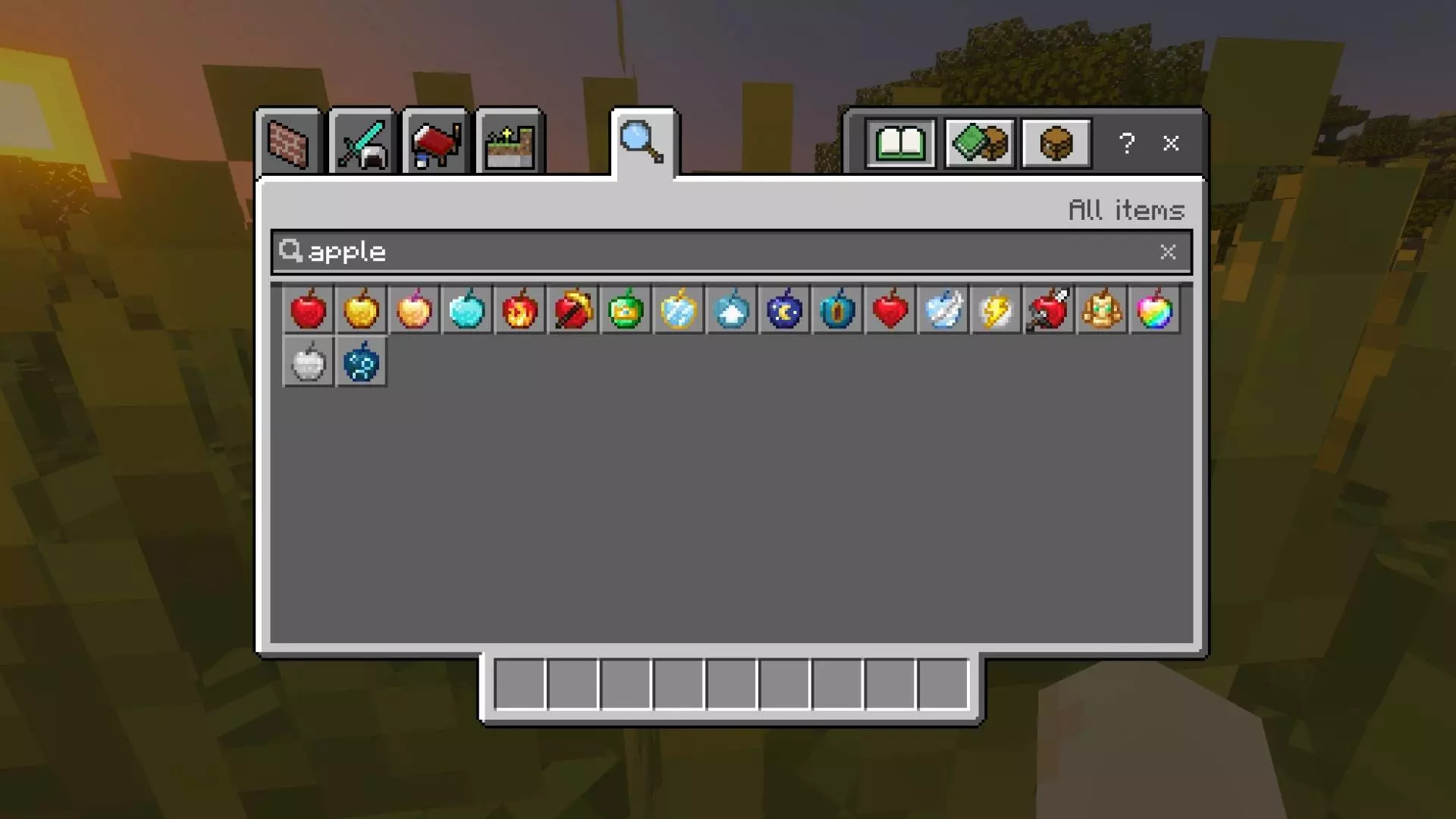
The Powerful Apples .mcaddon completely overhauls the vanilla buff system by injecting 16 custom consumable items directly into your Bedrock world. Whether you need a massive speed boost to bridge across the Nether or high-tier Haste to instantly clear out deepslate chunks for a mob farm perimeter, these custom apples give you instant access to heavy buffs on the fly.
Crafting and Survival Integration
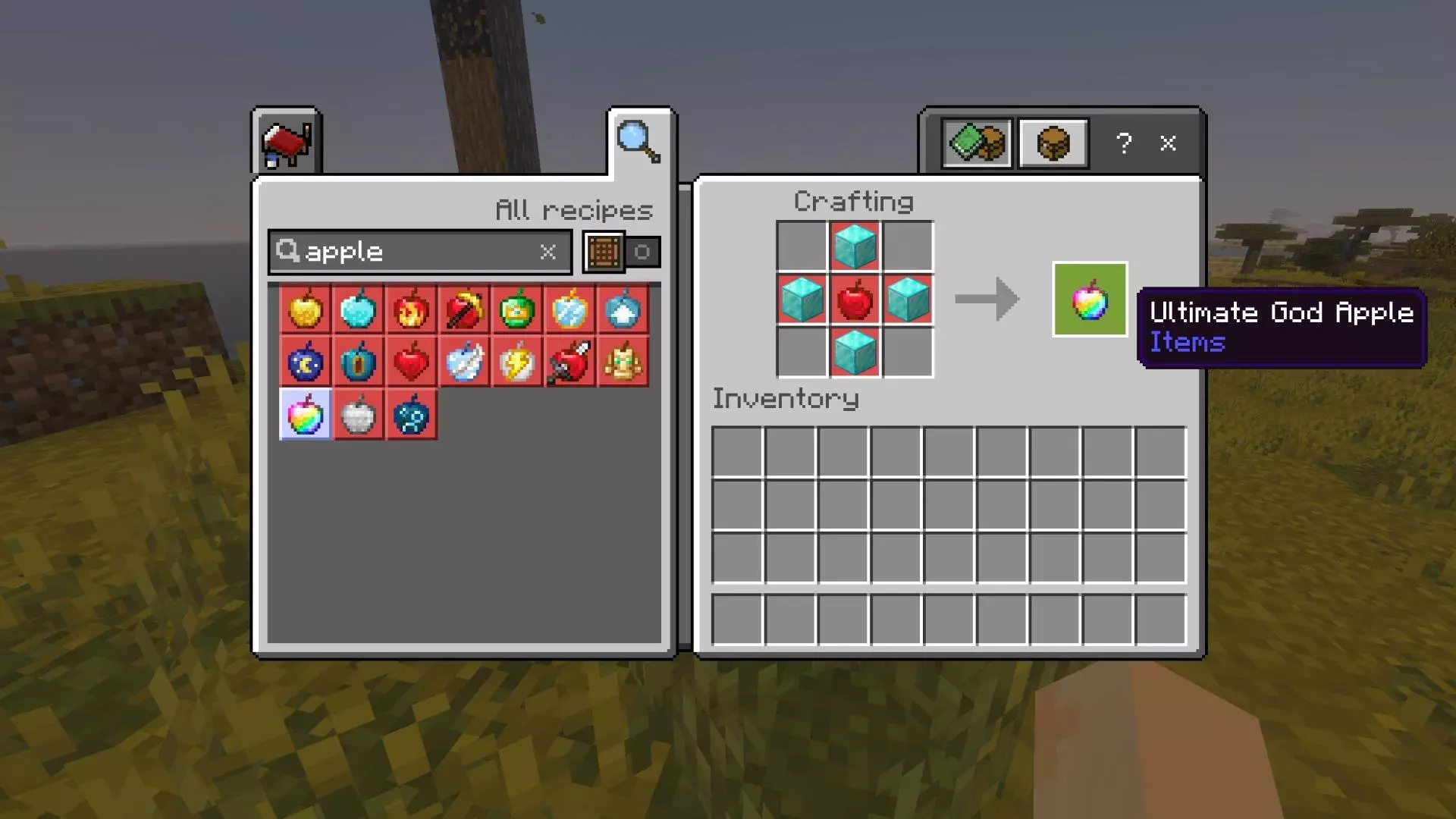
The biggest advantage of this pack is how seamlessly it ties into standard vanilla progression loops. You don't have to rely on creative menus, RNG loot chests, or clunky command blocks to get your hands on these buffs. Every single one of the 16 new apples features a hardcoded recipe that works natively inside the standard vanilla crafting grid. This makes it incredibly easy to mass-produce Strength or Mining Speed apples right at your base using farmable resources before heading into a heavy Wither fight or starting a massive terraforming project on a multiplayer realm. Instead of forcing you to brew complex potions, set up elaborate beacon pyramids, or clutter your inventory with bulky splash bottles, this behavior pack condenses top-tier status effects into easily stackable food items.
Optimization and World Setup
Because this system injects brand-new custom items and unique consumption IDs into the game registry rather than just re-texturing the standard Golden Apple, you absolutely must toggle on the required Experimental Gameplay features in your world settings before applying the behavior pack. The background scripting that applies the potion effects is incredibly lightweight, meaning it runs perfectly on the Bedrock engine without causing tick lag when multiple players are buffing up simultaneously. You can easily spam these consumable effects on a mobile device, console, or a high-end Windows PC without tanking your server TPS during intense clan PvP encounters or heavy block-breaking sessions.
Installation:
— Download McPack
— Install McAddon or McPack files, just open it for this;
— Select new textures in the settings;
— Done.
Comments (0)