Effortless Building Addon
- 24-09-2026, 03:17
- 272
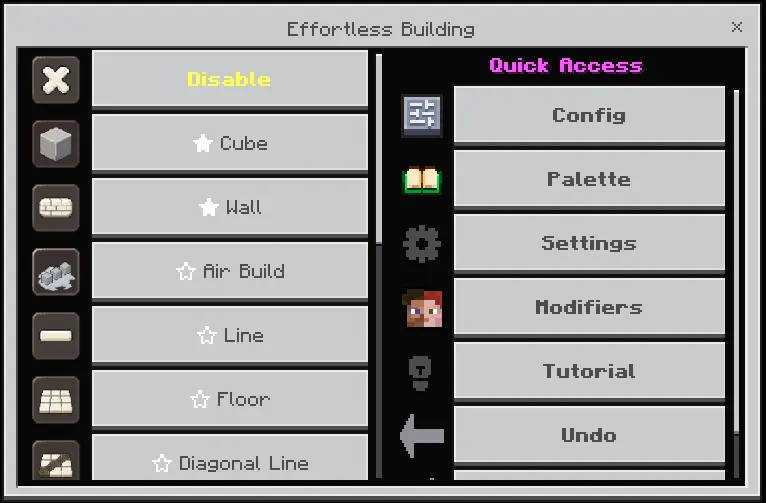
Building massive megabases in vanilla Minecraft is usually an exhausting grind of placing thousands of blocks by hand. If you have ever watched Java players use Requioss’s famous Effortless Building mod and wished you had those exact tools on Bedrock, this add-on completely ports that experience over. Instead of painstakingly placing blocks one at a time, you simply pick a build mode and click a couple of times. Instantly, you can generate perfect lines, walls, floors, hollow spheres, diagonal ramps, or huge cylinders. It also features advanced modifiers like Mirroring (to build symmetrical bases automatically), Arrays (to stamp repeating tunnels or staircases), and a full Copy/Paste system to duplicate your structures anywhere.
The most impressive part about this add-on is how seamlessly it integrates into actual survival gameplay. It does not just spawn blocks out of thin air like a Creative mode cheat. It actively consumes the required materials directly from your inventory. When you use the tool to bulk-destroy a shape, the add-on checks if you are holding the correct tool, subtracts the exact durability for every block broken, correctly drops XP for ores, and fully respects enchantments like Silk Touch and Unbreaking.

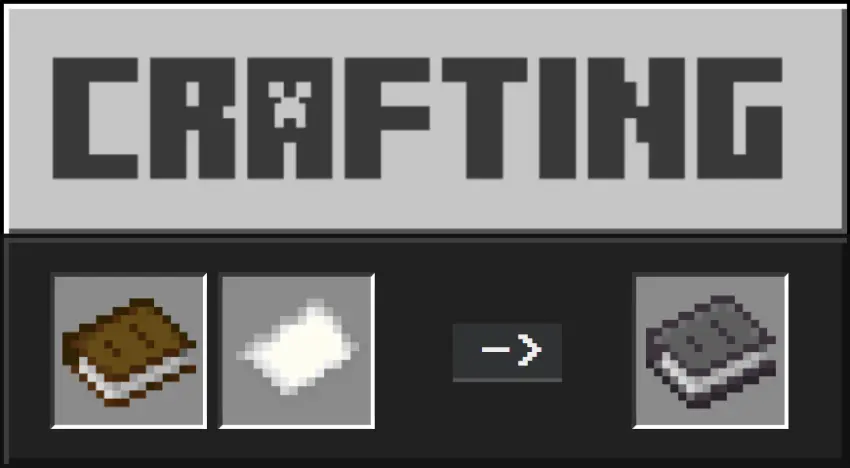
Even better, the creator specifically engineered this pack to be 100% achievements friendly. You can safely load this into your longest-running vanilla survival realm to completely automate your massive construction projects without permanently locking your official Gamerscore.
In the past, asking the Bedrock engine to calculate and preview hundreds of blocks at once would completely fry mobile devices, but the v4 update is heavily focused on lightweight performance. The biggest upgrade is the new Deferred Shape Calculation. While you are quickly aiming your camera, the game doesn't waste memory trying to render a massive particle cloud for every single block in the preview. Instead, it instantly gives you a lightweight bounding box outline, only calculating the full 3D shape when you hold still or confirm the placement.
When you load into the world for the first time, a built-in Setup Wizard will actually ask if you are playing on a low-end, mid-end, or high-end device. It then automatically tunes the preview quality, preview styles, and max-block limits to perfectly match your hardware. With these background optimizations and a live tick-rate readout on your screen, you can rapidly generate massive geometric structures on a budget smartphone just as smoothly as you could on a high-end PC.
Installation:
— Download McPack
— Install McAddon or McPack files, just open it for this;
— Select new textures in the settings;
— Done.
Comments (0)