Holograms on Dropped Items Addon
- 24-09-2026, 11:49
- 1 727
Mods 26 [1.26] / Mods 1.21 / Mods 1.20
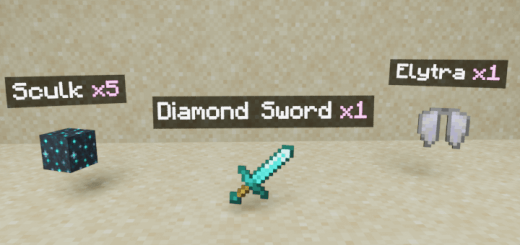
Holograms on Dropped Items - a useful mod for information and names of dropped items.
Vanilla Minecraft items rotating on the ground can be incredibly hard to identify from a distance, especially if you have a massive pile of mixed loot from a mob farm or are searching for a specific drop in tall grass. This addon completely fixes that by projecting a clean, customizable text hologram directly above every dropped item, showing you the exact name and stack quantity. The most impressive feature is the built-in raycasting system. Instead of blinding your screen with floating text through solid walls or burying your view in crowded caves, the holograms only appear if you actually have a direct line of sight to the item. You can even configure it to only show holograms for items you are specifically aiming at with your crosshair, which keeps your screen totally uncluttered.
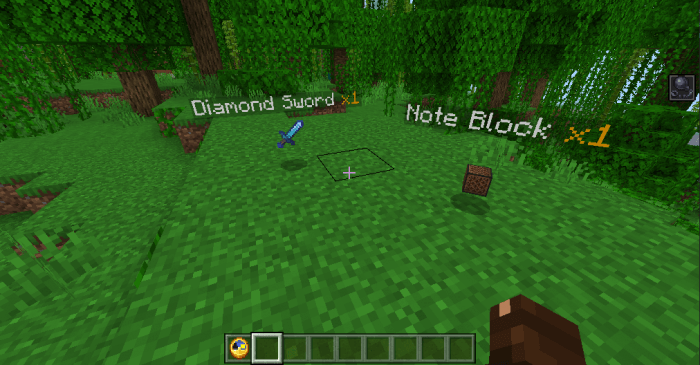
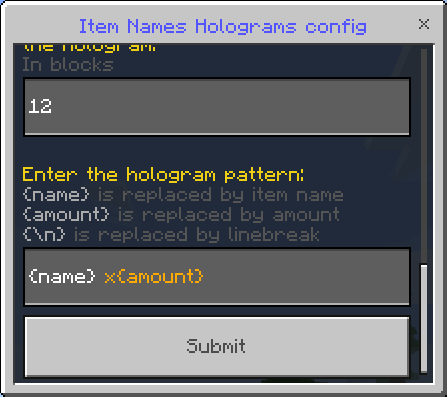





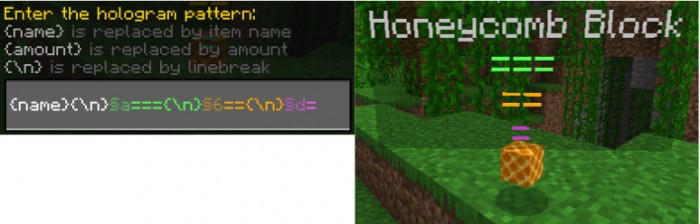
Because this add-on constantly tracks item entity positions, calculates line-of-sight math in real time, and dynamically renders custom text, it operates as a behavior pack. As a direct result, activating it will permanently disable your Xbox Live achievements on that save file. Getting it installed is very straightforward, and since the creator smartly avoided modifying the fragile player files, it is perfectly compatible with almost any other mod you are running. However, you absolutely must go into your world settings before launching and toggle on the Beta APIs Experimental Gameplay feature. If you skip that developer switch, the custom scripts won't initialize, and the floating text simply will not render.
When it comes to performance, rendering dynamic text elements on top of physical items can escalate quickly if you aren't careful. The raycasting logic and crosshair-only modes do a fantastic job of keeping the memory footprint low during standard survival gameplay. If you are playing on a modern console or a solid PC, it runs flawlessly. But if you are playing on an older budget smartphone and you accidentally blow up a massive storage chest full of cobblestone, forcing the engine to suddenly calculate and render hundreds of individual text holograms all at once will absolutely tank your framerate. Thankfully, the addon includes fine-tuning settings that let you strictly limit how many nearby items display text at the same time, making it very easy to optimize for weaker hardware.
Installation:
— Download McPack
— Use the Minecraft
— Install McAddon or McPack files, just open it for this;
— Select new textures in the settings;
— Done.
Comments (0)