Survival Igloo House Map
- 23-12-2025, 11:52
- 462

Survival Igloo House Map — a snow-biome starter that drops you into a cozy igloo-style mini base built for real survival from minute one.
Survival Igloo House Map is the first survival house in the Mini House Series, and it’s aimed at players who love starting in a cold biome but don’t want the usual “freeze, panic, dig a hole� opening. The theme is straight up Igloo House, set in a Snow Survival biome, so the whole map is built around that winter vibe: quiet landscapes, bright snow lighting, and that feeling of being a little outpost in the middle of nowhere. Snow starts can be rough in normal worlds because everything feels slower and harsher, so having a proper mini house right away makes the biome feel fun instead of annoying.
Because it’s part of a series where each build matches its surrounding biome, the igloo theme is the main identity here. You’re not getting some random wooden starter slapped onto snow. You’re getting a house that actually fits the environment, which makes the world feel more immersive when you’re running around outside and then coming “home� to something that belongs there. That’s also great if you’re the kind of player who likes building a long-term base that grows from a starter concept—starting with an igloo can easily turn into a full winter base later, with tunnels, storage rooms, farms, and a whole snowy village vibe around it.

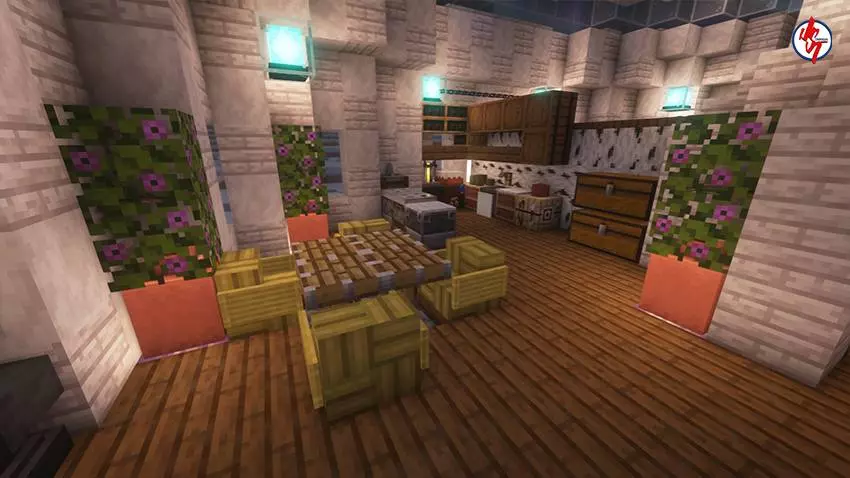

This kind of map is perfect for chill survival playthroughs where the goal is to set up a cozy winter life: build paths through the snow, light up the area so it feels safe, and slowly expand the base without ruining the theme. It’s also a fun pick for multiplayer because snow biomes make it easy to create a shared “winter town� look, and everyone can rally around the same starter area instead of scattering. Survival Igloo House Map is basically the clean winter start—an igloo-themed mini house in a snow biome that sets the tone for a full survival run built around cold-weather vibes.
How to install?
Android: use ES Explorer to find mcworld in the download folder. Click on a file to import it inside.
Versions of Windows 10: Go to your downloads folder and find mcworld. Click on the document to add it to the client.
IOS: as soon as they clicked on the Download button below, the device will offer to open it.
Comments (0)