Roblox Parkour Obby Map
- 30-09-2026, 03:36
- 462
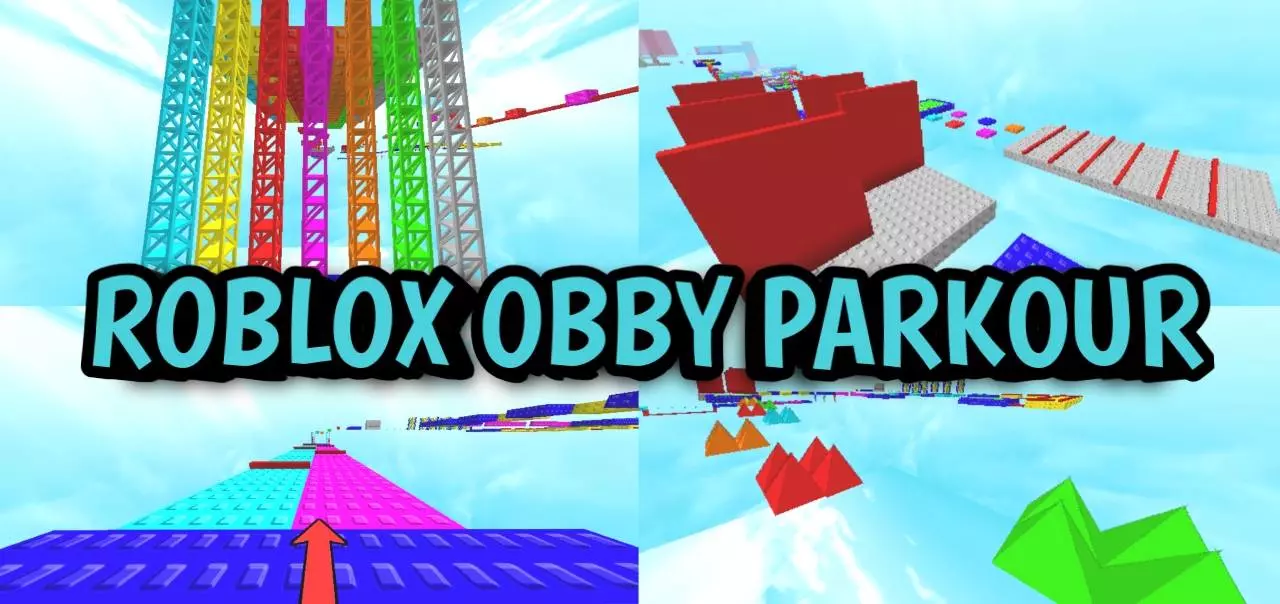
Roblox Parkour Obby Minecraft Bedrock parkour map in the style of Roblox.
If you have ever wasted an afternoon grinding through a massive obstacle course on a popular gaming platform, you already know the exact type of frustrating, addictive loop that comes with jumping across neon platforms and dodging traps. The Roblox Parkour Map takes that exact chaotic energy and ports it directly into the Minecraft Bedrock engine, completely replacing standard dirt and cobblestone jumps with the iconic, brightly colored aesthetic of a classic obby. Instead of relying purely on traditional game mechanics like ladder jumps or slime block bounces, this custom map introduces fully functional replicas of classic obstacle course blocks. You will instantly recognize the glowing red kill bricks that instantly reset your progress the second your hitbox grazes them, sitting alongside custom checkpoint pads and floating checkerboards. It completely shifts the movement mechanics of standard survival, forcing you to think about pixel-perfect spacing and momentum in a completely different way while racing your friends to the top of a massive, sky-bound tower.


If you have ever wasted an afternoon grinding through a massive obstacle course on a popular gaming platform, you already know the exact type of frustrating, addictive loop that comes with jumping across neon platforms and dodging traps. The Roblox Parkour Map takes that exact chaotic energy and ports it directly into the Minecraft Bedrock engine, completely replacing standard dirt and cobblestone jumps with the iconic, brightly colored aesthetic of a classic obby. Instead of relying purely on traditional game mechanics like ladder jumps or slime block bounces, this custom map introduces fully functional replicas of classic obstacle course blocks. You will instantly recognize the glowing red kill bricks that instantly reset your progress the second your hitbox grazes them, sitting alongside custom checkpoint pads and floating checkerboards. It completely shifts the movement mechanics of standard survival, forcing you to think about pixel-perfect spacing and momentum in a completely different way while racing your friends to the top of a massive, sky-bound tower.
Because this map introduces entirely new block types and relies on continuous background scripts to handle your spawn points and instant death mechanics, it comes with the standard technical compromises of heavily modified world templates. The absolute second you load into the starting lobby, your Xbox Live achievements are permanently disabled for this specific save file. You cannot earn official Gamerscore while playing this obstacle course because the custom scripts flag the world as modified. Furthermore, to even get the glowing kill blocks and checkpoint pads to function correctly, you must dive into the world settings before hitting play and ensure that the Experimental Gameplay features, specifically the Beta APIs, are actively toggled on. If you forget to activate these developer switches, the custom blocks will either fail to render entirely or lose their scripted properties, turning a deadly trap into a harmless walk across a solid square.
Hardware performance is a bit of a mixed bag depending entirely on the device you are using and how many friends you bring along for the race. On a modern home console or a high-end desktop PC, the custom geometry and rapid death resets load seamlessly. You can fall into the void, respawn, and immediately start sprinting without experiencing any input delay. However, if you are playing on an older budget smartphone and load into the map with a large group of players, things can get incredibly messy. The background scripts constantly recalculating the positions of multiple players against hundreds of custom kill bricks simultaneously can cause noticeable tick lag on weaker mobile processors. If ten players all fail a jump at the exact same time and trigger the death scripts simultaneously, older phones will definitely experience sharp framerate drops or momentary screen freezes. Keeping the player count reasonable and staggering your jumps is the best way to ensure the map runs flawlessly while you grind your way to the final platform.
How to install?
Android: use ES Explorer to find mcworld in the download folder. Click on a file to import it inside.
Versions of Windows 10: Go to your downloads folder and find mcworld. Click on the document to add it to the client.
IOS: as soon as they clicked on the Download button below, the device will offer to open it.
Comments (0)