GoobliTools Addon
- 21-01-2026, 12:15
- 413
GoobliTools Mod — the utility pack that lets your furniture add-ons rotate, connect, and swap model states so decorating in Minecraft Bedrock stops feeling locked and starts feeling adjustable.
GoobliTools Mod is basically the “missing wrench” for furniture packs, especially the creator’s own addons. If you’ve ever placed a chair, cabinet, or random decor piece and thought, “cool… but it needs to face the other way,” this pack is meant to fix that kind of frustration by enabling rotation, connecting behavior, and other necessary tweaks. The main idea is simple: you activate GoobliTools Mod above your other packs, and suddenly you can modify the state of the models inside those furniture addons. That load order detail matters, because the whole point is that GoobliTools sits on top and gives the extra control, instead of the furniture pack acting like a stubborn one-direction-only block forever.
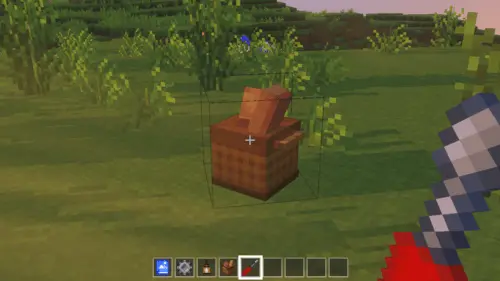
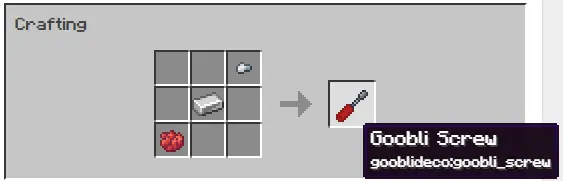
In real gameplay terms, this is a quality-of-life upgrade for builders who care about interiors. When furniture can rotate and connect, rooms stop looking like you just spam-placed the same object in the same direction. You can line things up clean along walls, make corners feel intentional, and build layouts that look planned instead of improvised. It’s also huge for tighter builds where space is limited, like apartments, shops, city houses, or survival bases that grew over time and ended up with weird angles. Instead of rebuilding a whole room because one model doesn’t match the flow, you get the ability to adjust the model’s state and make it fit the space you actually have.
GoobliTools Mod also calls out support for ported Java packs, which is a big deal if you like pulling in furniture-style content from different places and trying to make it all feel consistent in one world. The promise here isn’t “it magically fixes everything,” it’s that the same idea applies: you can modify model states on those packs too, which can save a lot of headache when you’re mixing multiple decor addons together. For multiplayer worlds, this kind of tool helps keep shared builds looking clean, because everyone can place furniture in a way that matches the build style instead of leaving random mismatched orientations all over a community town.
If you’re the type of Minecraft Bedrock/MCPE player who spends time making interiors feel lived-in, GoobliTools Mod is the pack you keep enabled so your furniture addons feel flexible instead of rigid. Put it on top of your other packs like the description says, and treat it like your build-control layer: rotate what needs rotating, connect what should connect, and keep your rooms looking sharp without having to “settle” for awkward placement.
Installation:
— Download McPack
— Install McAddon or McPack files, just open it for this;
— Select new textures in the settings;
— Done.
Comments (0)