Real Backpack Addon
- 18-03-2026, 07:48
- 237
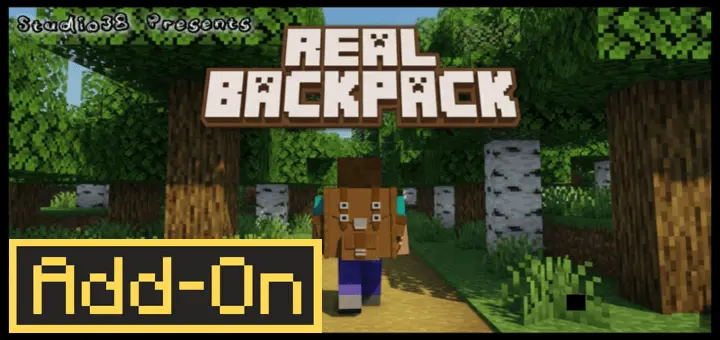
Real Backpack Mod — the clean, vanilla-friendly backpack add-on that gives you real extra storage without turning your world into a messy tech mod.
Real Backpack Mod is basically for anyone who’s sick of doing the “inventory Tetris + panic toss junk on the ground” routine every time you go mining or exploring. You craft a Backpack using the add-on’s custom Workbench, and once you’ve got one, you’re rocking 27 extra inventory slots per Backpack. That’s the sweet spot too — it’s big enough to matter, but it still feels fair for survival because you’re not magically getting infinite space. The whole vibe stays close to vanilla, with a design that’s clearly inspired by the Hytale Backpack look, so it doesn’t feel like some random futuristic chest glued to your back.
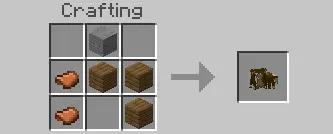
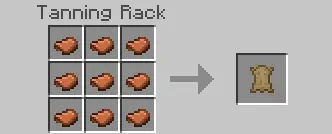
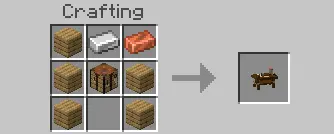
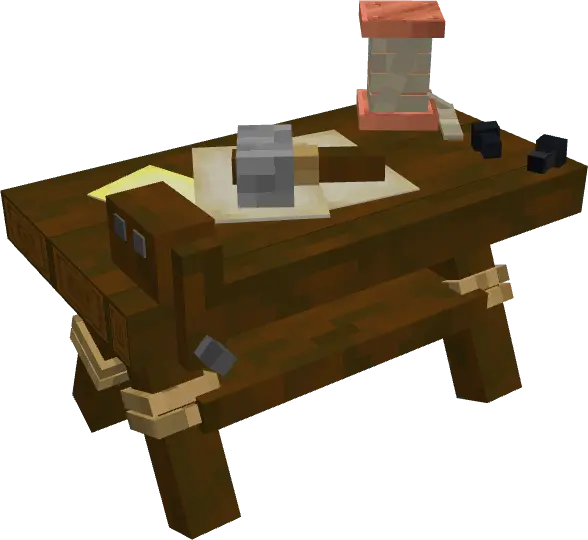
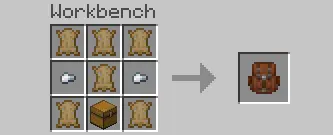
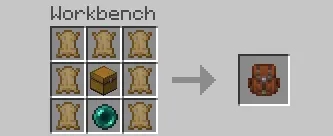
What makes Real Backpack Mod feel good in actual gameplay is how flexible it is. You can wear the Backpack when you’re out running caves, clearing structures, or doing long trips where you keep finding “just one more” thing you can’t leave behind. But you can also store the Backpack in your inventory when you’re back at base, which is nice when you’re swapping loadouts or trying to keep your hotbar clean for building. It turns looting into a smoother flow: you can grab ore, mob drops, and random treasure without constantly making the “do I ditch this or go home?” choice every five minutes.
It also plays well with bigger worlds because Real Backpack Mod is built to be fully compatible with other add-ons. That matters if you’re stacking survival quality-of-life stuff together, running a themed world, or building a modpack vibe for your friends. You’re not locked into one ecosystem — the backpack is just extra storage that slides into your normal routine. The custom Workbench is a nice touch too, because it keeps the crafting side organized and makes the backpack feel like a real item in the world instead of a random menu trick.
Real Backpack Mod is the kind of add-on you install once and then wonder how you ever lived without it. Longer mining trips, longer exploration runs, fewer forced trips back to base, and way less frustration when you find something rare and your inventory is already cooked.
Installation:
— Download McPack
— Install McAddon or McPack files, just open it for this;
— Select new textures in the settings;
— Done.
Comments (0)