Throwables Addon
- 22-12-2025, 21:02
- 576
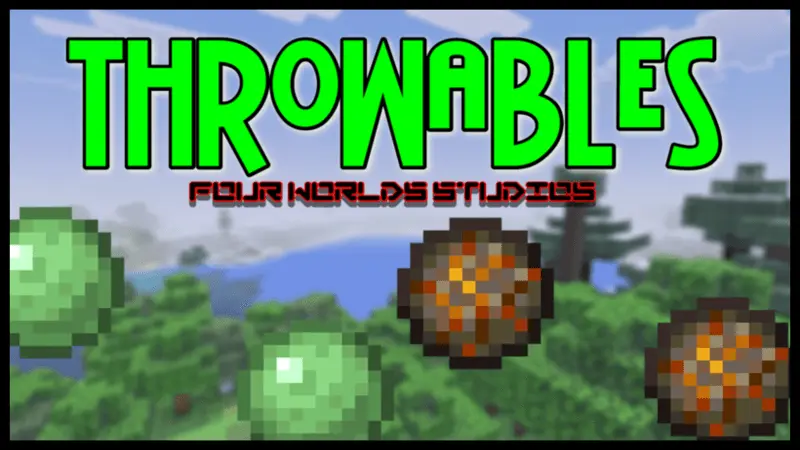
Throwables Mod — toss slimeballs or fireballs from a distance so you can fight without face-tanking everything.
Throwables Mod is a simple idea that instantly changes how combat feels in Minecraft Bedrock / MCPE: instead of always closing the gap, you can stay back and throw slime or fire balls at targets from range. That’s huge for survival runs where you’re under-geared, low on food, or stuck in tight places like caves where getting too close is basically asking to get swarmed. With Throwables Mod, you get a cleaner way to start fights on your terms—tag something from a distance, soften it up, or keep pressure on it while you reposition.
The real win is control. Ranged throwables let you play safer when you’re scouting at night, clearing a path through a rough area, or defending a build site where you don’t want mobs getting anywhere near your scaffolding. Fireballs are the obvious “hit them hard� option, while slime-style throws are perfect for annoying targets you don’t want in your face. It also makes solo survival feel less punishing, because you’re not forced into melee every time something surprises you around a corner. You can back up, throw, and keep moving without turning every encounter into a messy brawl.
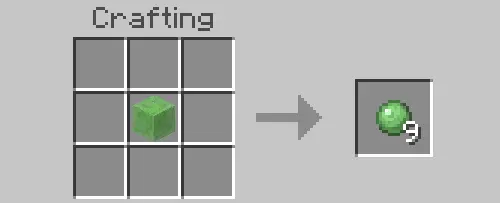
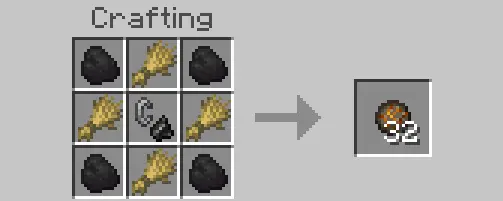
In multiplayer, Throwables Mod is straight-up fun because it adds a new layer to fights and pranks. You can help a friend from range, mess with mobs that are chasing someone, or just cause chaos in a controlled way during arena fights. It also makes base defense feel more active—standing on a wall and throwing at threats feels way more satisfying than just waiting for them to walk into a trap.
Throwables Mod is basically for players who want distance-based combat options without overcomplicating the game. If you’re tired of always getting too close to targets and you want a quick way to fight smarter, slimeballs and fireballs as throwables are a clean upgrade to your survival toolkit.
Installation:
— Download McPack
— Install McAddon or McPack files, just open it for this;
— Select new textures in the settings;
— Done.
Comments (0)