Real-Time Clock Addon
- 2-01-2026, 06:40
- 645
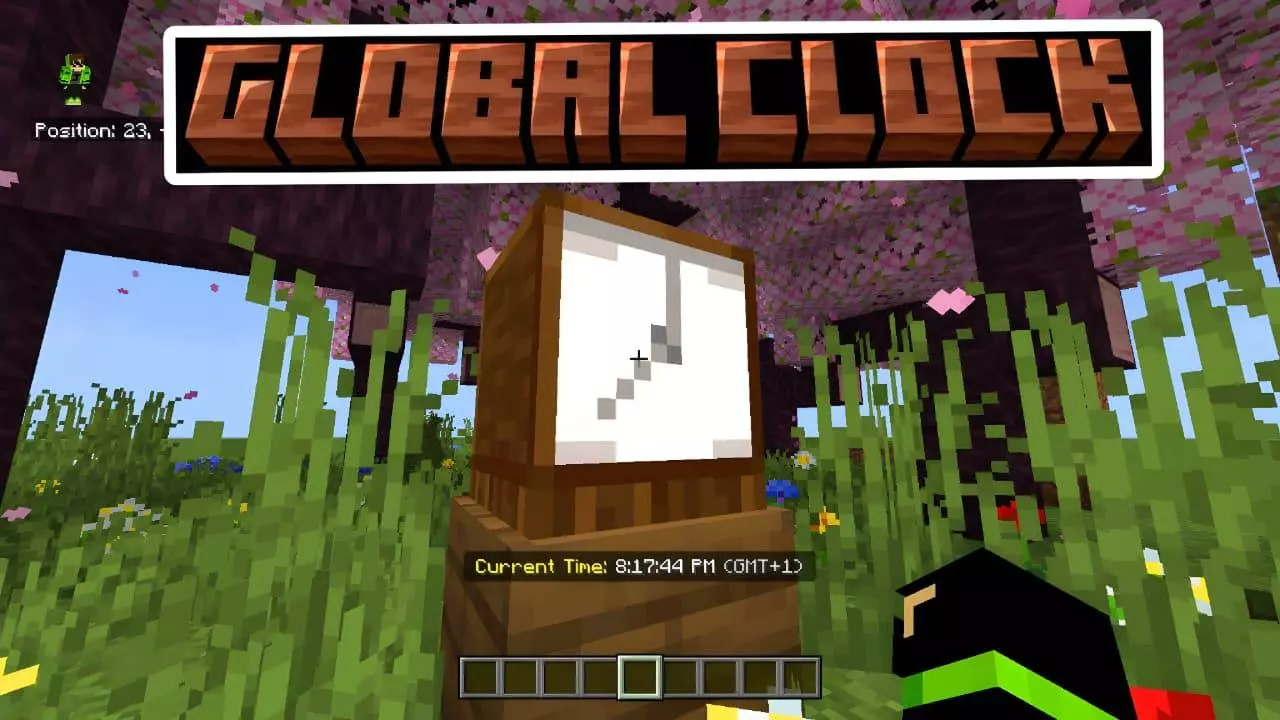
Real-Time Clock Mod — a “Schedule Clock” addon that shows real-world time (not ticks) on your action bar, lets you pick a GMT offset, and even works when you hold a normal clock after you set it up.
Real-Time Clock Mod is basically a quality-of-life add-on for Minecraft Bedrock / MCPE players who want the game to match real life a little more—especially for realms, servers, roleplay, or anyone who runs events and needs a reliable time reference. Instead of showing Minecraft daytime, it displays the actual real-world time in HH:MM:SS. The time appears cleanly in the action bar above your hotbar, and there’s optional AM/PM support if you prefer that style. The big win is that you’re not translating “ticks” or “sun position” anymore—what you see is just the current time.
Setup is simple and built into a UI. You place a custom 3D “Schedule Clock” block (it’s described as a rustic wooden model), interact with it, and a settings menu pops up where you pick your GMT time zone from -12 to 14. Once you choose your offset, the system remembers your setting, so you don’t have to redo it every time you play. After that, time can be viewed by looking at the Schedule Clock block, and there’s also a newer feature where you can see the time just by holding a vanilla Clock item. That “smart linking” is a clutch touch because it means the add-on doesn’t force you to stare at one block—you can carry the time with you while you build, explore, or manage a server.
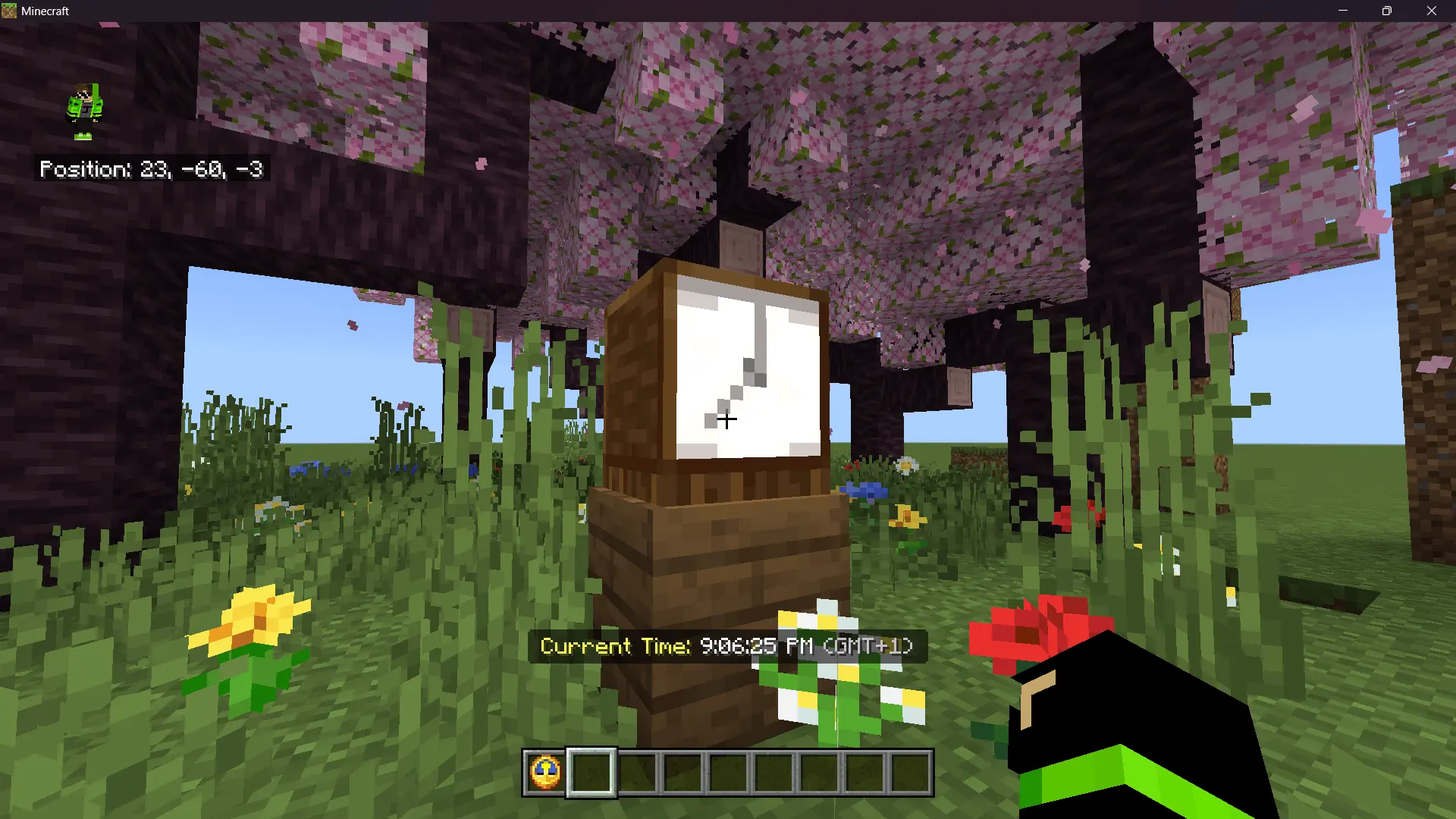
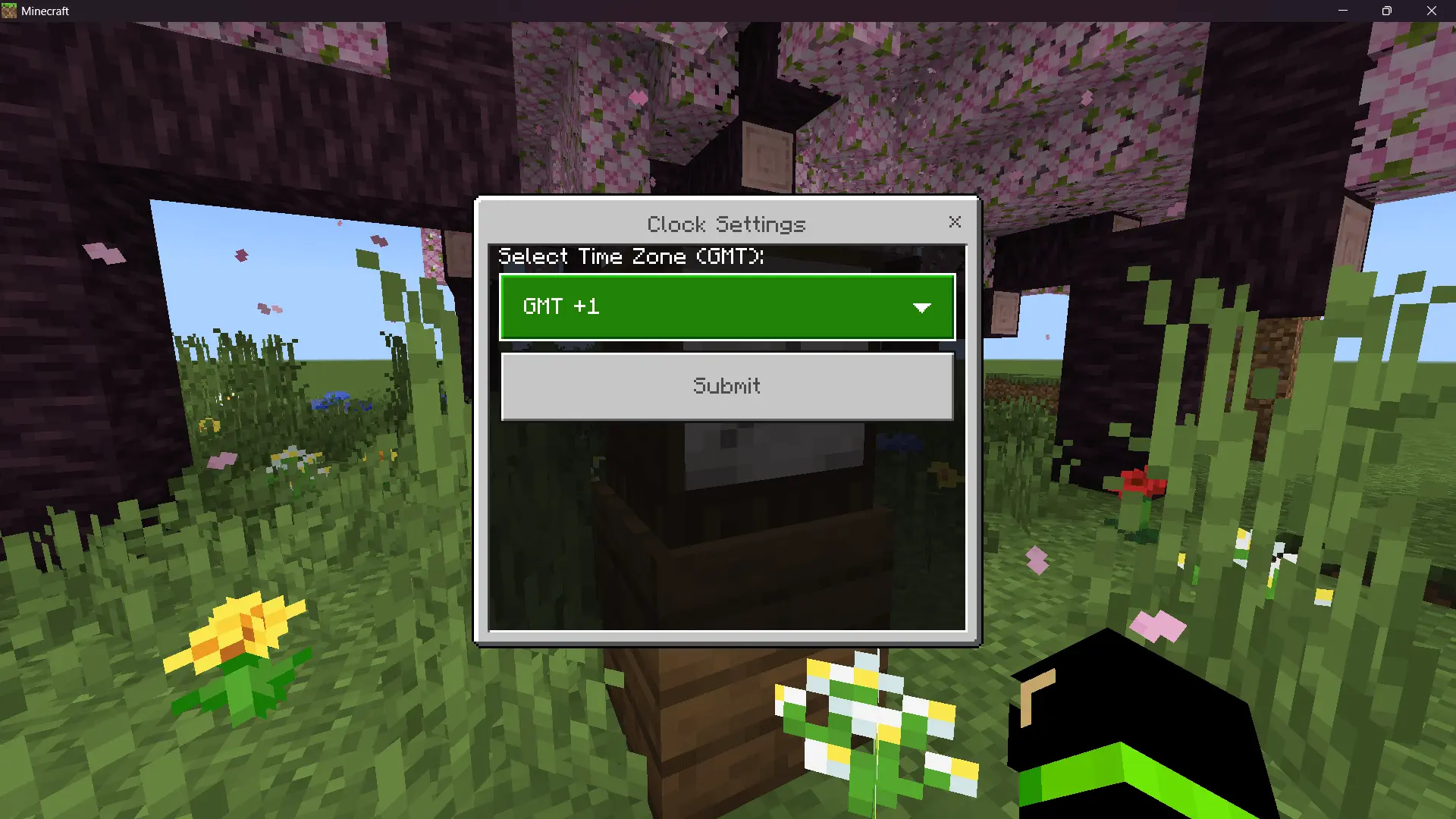

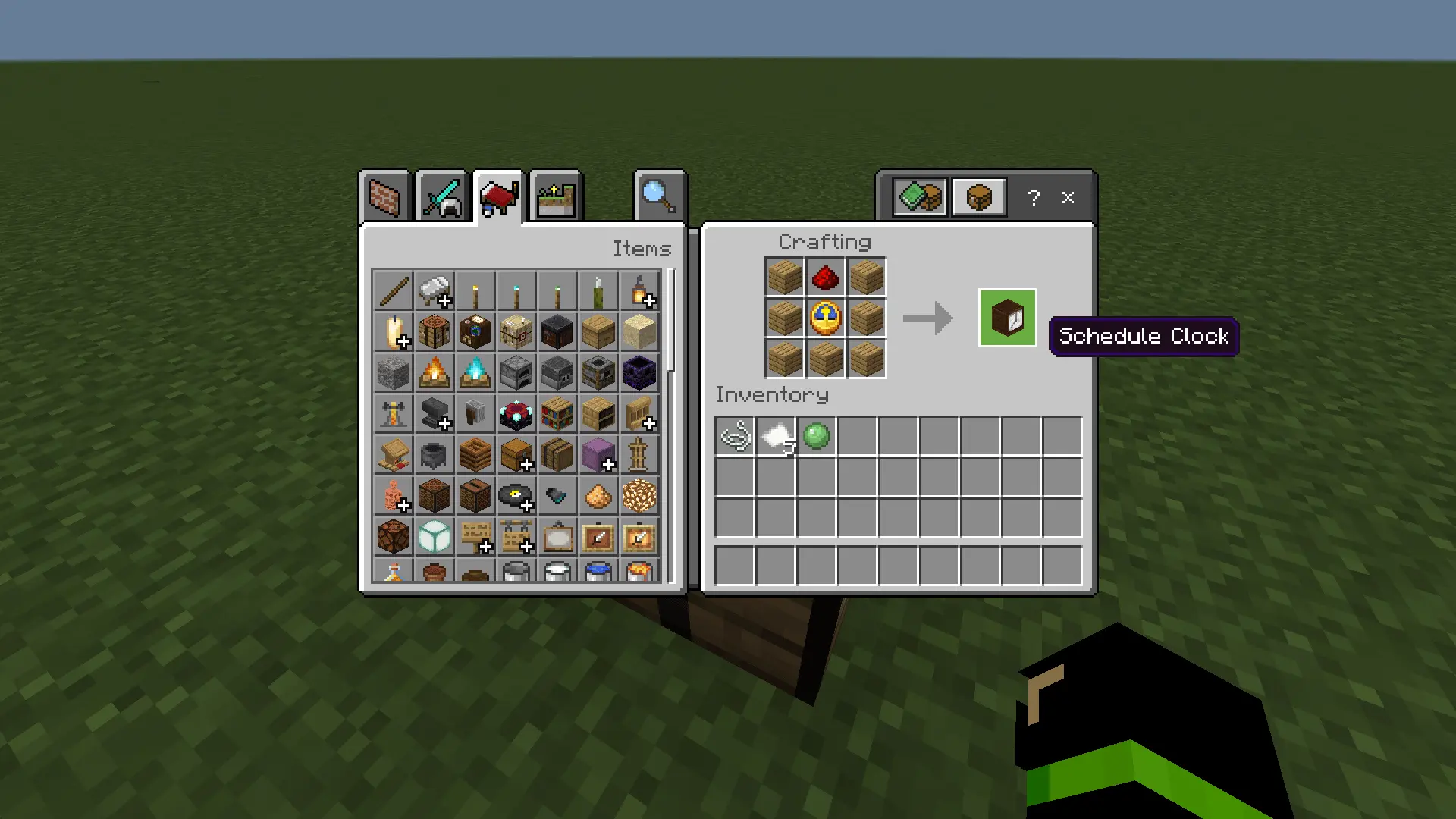
Using it is straightforward. In creative, you can search for “Schedule Clock,” or you can use the command /give @s custom:schedule_clock to get the block. Place it on the ground or wall, interact to open the settings menu, select your GMT offset (like GMT 1 or GMT 3), and you’re done. From that point on, your local real-world time appears when you look at the block or when you hold a normal clock, making it feel integrated instead of like a separate gadget.
Real-Time Clock Mod is perfect for anyone who runs scheduled games, roleplay sessions, or timed builds on Minecraft Bedrock / MCPE and wants a clean, always-correct clock inside the game. It’s simple, practical, and the vanilla-clock support makes it feel surprisingly natural once it’s configured.
Installation:
— Download McPack
— Install McAddon or McPack files, just open it for this;
— Select new textures in the settings;
— Done.
Comments (0)