Travelers Backpack Addon
- 1-08-2026, 15:09
- 230
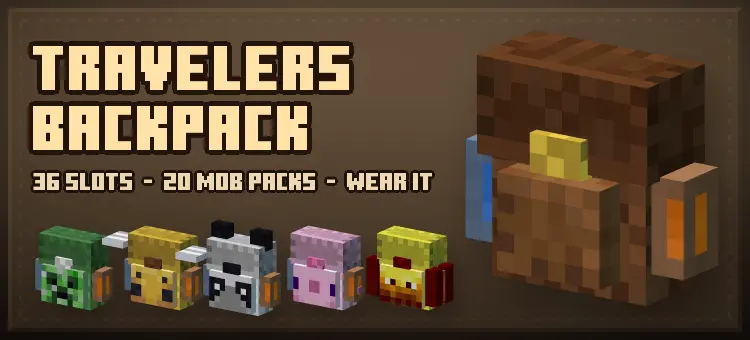
The Traveler's Backpack .mcaddon completely overhauls standard Bedrock inventory management by introducing a highly dynamic, 36-slot portable storage system that actively renders on your player model. Unlike standard vanilla shulker boxes, this behavior pack utilizes custom item components and dynamic properties to ensure every backpack retains its unique inventory array when broken. You can place the item down in the world, where it converts into a custom block entity with a split hitbox—aiming at the upper half allows you to open its storage, and breaking it packages all 36 slots safely back into your inventory without dropping the contents on the ground.
Dynamic Rendering and Custom UI
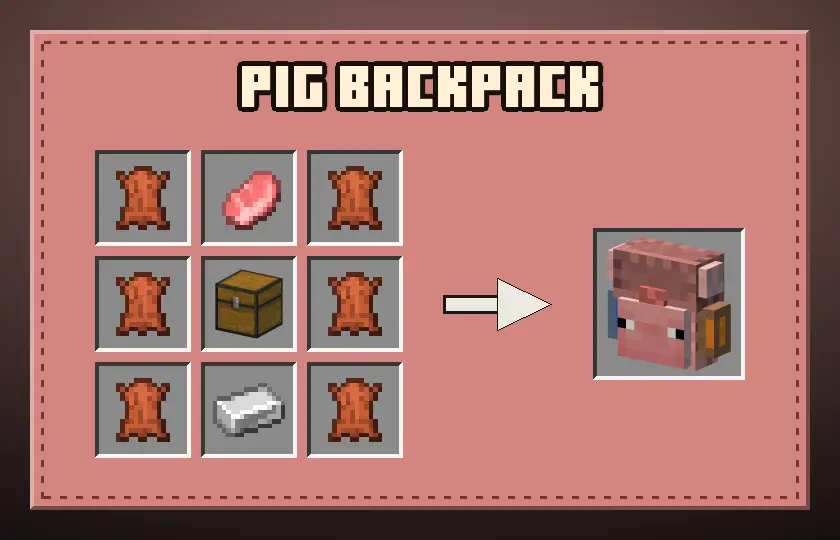
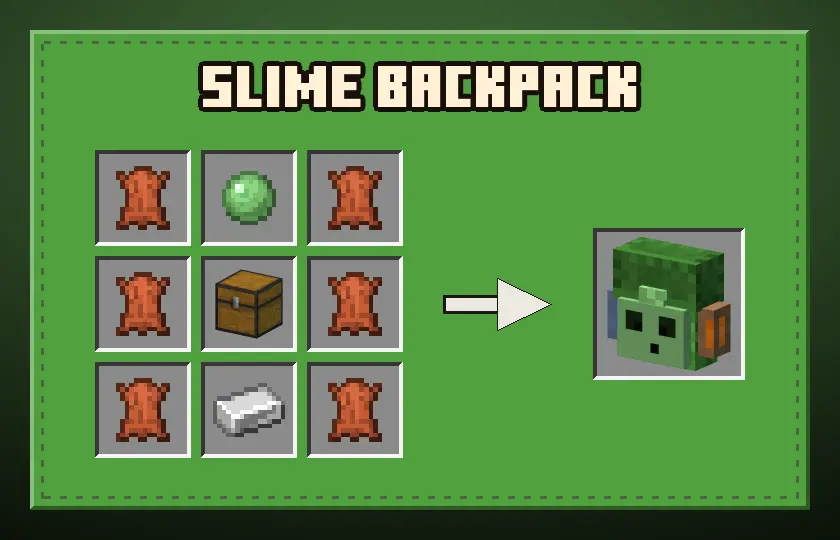
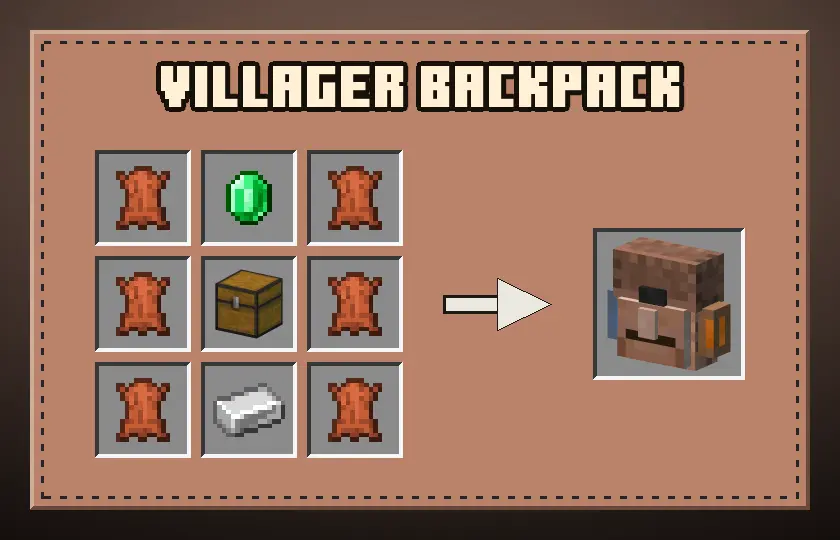
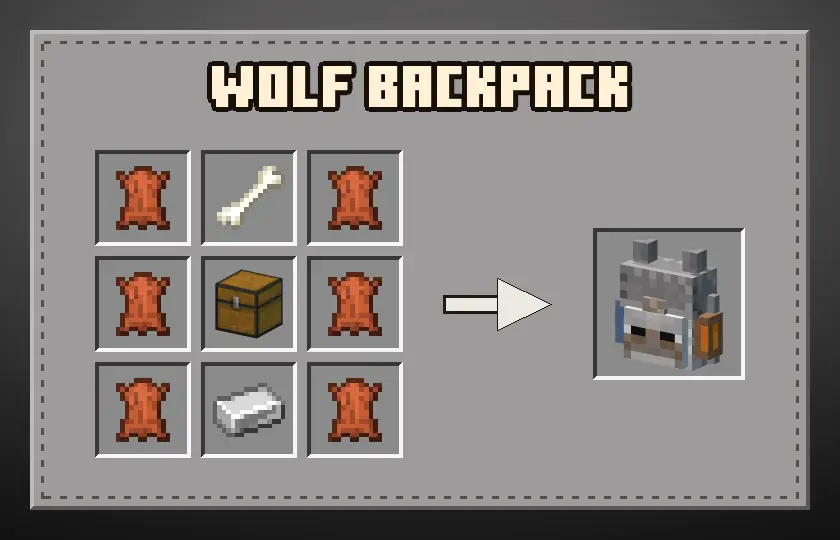
The technical standout of this pack is its heavy reliance on custom render controllers and dynamic geometry. The backpack doesn't just sit statically on your back; it actively reads your equipped loadout and physically renders up to 40 different vanilla items—including tools, totems, lanterns, and raw ores—strapped to the bag in real 3D space. The pack also injects a custom fluid handling script, featuring integrated water and lava tanks capable of storing four buckets each, which you can fill and empty directly through the custom container menu. Additionally, the addon includes 20 distinct mob variants. These aren't just simple texture swaps; they utilize completely custom entity geometry to add wings, horns, and tentacles, while dynamically injecting specific JSON UI modifications to theme the container screen and title bar to match the exact mob variant you opened.




Optimization and World Setup
Because this pack completely bypasses standard inventory limits and hooks heavily into custom block states, dynamic fluid arrays, and complex UI JSON injections, you absolutely must toggle on the required Experimental Gameplay features in your world settings to allow the scripts to initialize. Rendering custom 3D tool states on the backs of multiple players simultaneously drastically increases the geometry count. While the item-saving scripts are highly optimized to prevent server-side tick lag and preserve TPS during chunk unloads, relying on these dynamic render controllers on a heavily populated multiplayer realm can cause client-side frame drops (FPS) on lower-end mobile devices or base-model consoles. For the most stable experience, especially when rendering multiple mob-variant backpacks with fully populated tool slots in a single chunk, a high-end Windows PC or dedicated server is recommended.
Installation:
— Download McPack
— Install McAddon or McPack files, just open it for this;
— Select new textures in the settings;
— Done.
Comments (0)