Circular Minimap Addon
- 18-09-2026, 17:22
- 222

Most Bedrock minimaps look like rigid, square afterthoughts slapped onto the corner of the screen, feeling more like clumsy debugging tools than polished game features. The Circular Minimap Addon completely redesigns that experience by introducing a modern, rounded radar interface directly to your HUD. Instead of staring at flat, solid-colored tiles, you get a dynamic top-down projection that maps elevation changes, biome gradients, and water depth with responsive height-based shading in real time. It stays anchored cleanly in the top-right corner without cluttering your view, rotating your directional locator smoothly as you pivot. When you need a broader overview, a quick press pulls up a large circular world map where you can zoom out and drop custom waypoints for mob farms, portal hubs, or buried bases without ever typing out coordinates in chat.
Getting live terrain scanning and dynamic HUD elements to render inside the Bedrock engine requires leaning into advanced scripting tools. Before loading into your world, you need to head into the settings menu and toggle on the Beta APIs alongside the standard experimental gameplay switches. These permissions allow the background scripts to read chunk data and project the round interface on your screen. Because the pack relies on experimental developer features and alters native UI behaviors, the game will automatically lock Xbox Live achievements for that specific save file. Still, if you are setting up an adventure map, an exploration-heavy realm, or a long-term survival server where painless navigation matters far more than grinding vanilla trophies, trading away gamerscore is an easy choice.
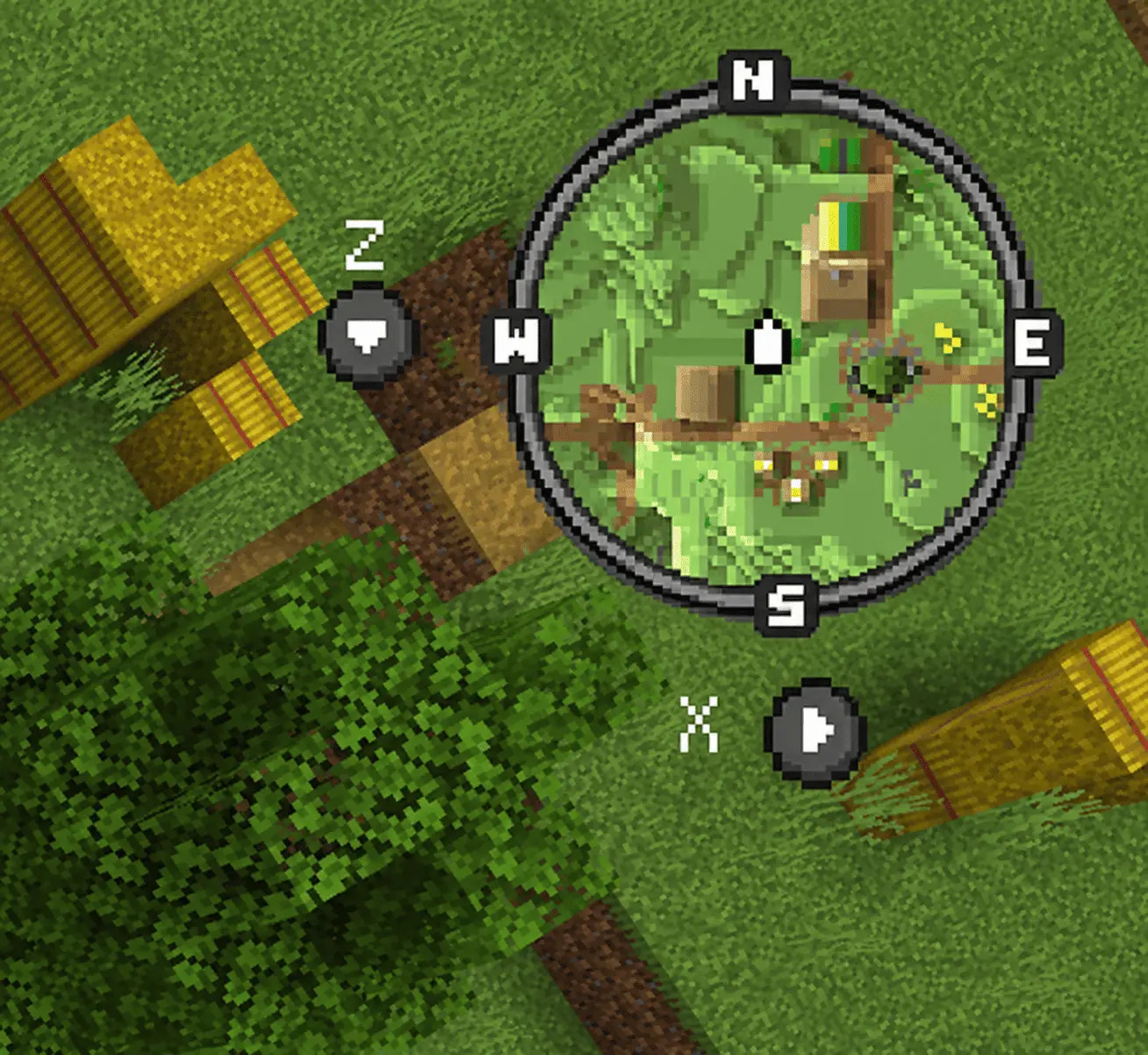
Live block scanners have a notorious reputation for choking a server's tick rate, especially when players are sprinting into freshly generated terrain. To prevent the usual performance bottlenecks, this addon relies on a smart chunk-caching pipeline that processes environmental updates in the background rather than forcing the engine to scan every block on every single frame. It also gives you direct access to an in-game settings menu where you can adjust render distances and toggle performance readouts, making it simple to balance detail against hardware limits. The circular frame updates cleanly without eating up your frame rate or causing camera rubber-banding, keeping the experience fluid whether you are playing on a PC, a home console, or a touchscreen mobile device.
Installation:
— Download McPack
— Install McAddon or McPack files, just open it for this;
— Select new textures in the settings;
— Done.
Comments (0)